Can the Blue Yeti Professional Actually Handle Vocals and Electric Guitar at Once? (My Field Test)
As an advanced beginner guitarist, one of the biggest hurdles isn’t just learning the chords—it’s recording them. If you’ve ever tried to record yourself singing while playing, you know the struggle: the guitar usually sounds like a roar, and the vocals sound like they’re in another room.
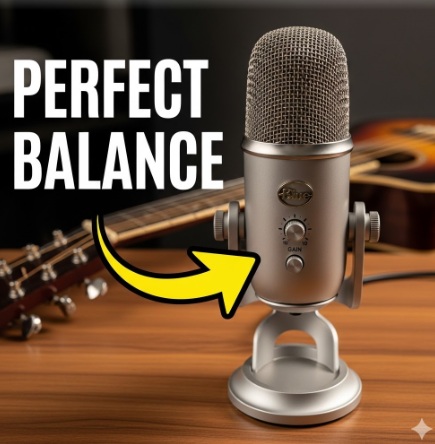
I recently put the Blue Yeti Professional to the test in my basement studio to see if this popular USB mic can actually find that “perfect balance.”
Check out the 7-minute field test below to hear the actual difference between Cardioid and Bidirectional modes.
Don’t be fooled. All Blue Yeti microphones are not made the same. I actually searched for and purchased a specific Blue Yeti that has four possible recording options.
Blue Yeti Professional Multi-Pattern USB
The older model Blue Yeti Professional microphone is what I tested, and perhaps what you need. It has four recording patterns.
- Bi-Directional. My top performer recording mode for this test. It’s #1 .
- Cardioid. Second place performer. You might like it. Test it.
- Omnidirectional. Third/fourth performer. Great for a table with various people talking. But not for my test today.
- Stereo. Third/fourth performer. It just wasn’t good for my test.
To be simple, a pristine Blue Yeti Professional might cost you $109 on the Internet. I found my Blue Yeti Professional for $40 on Facebook MarketPlace (March, 2026, Chicago, IL USA).
Testing the Blue Yeti Professional: Can a USB Mic Record Vocals and Electric Guitar Simultaneously?
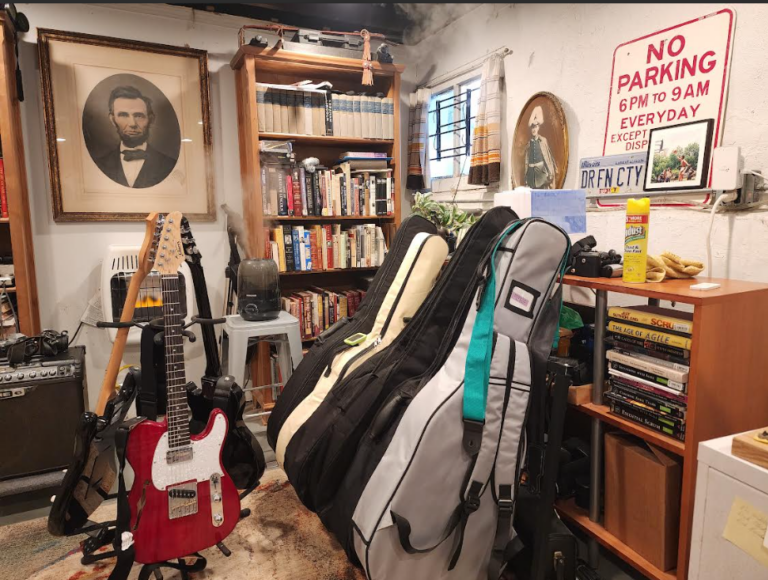
I used my Glarry Semi-hollow Thin Line (a steal at $60!) and my Peavey VIP 1 amp ($40 used in 2024). My goal was to see which microphone patterns prioritized my voice over the instrument.
Best Blue Yeti Polar Patterns for Singing and Playing Electric Guitar
After testing all four patterns, two stood out for anyone trying to balance singing and playing:
- The Top Choice: Bidirectional (Figure-8) * Why it works: This setting picks up sound from the front and back but ignores the sides. By positioning the mic closer to my face then to the amp, I found it gave the best “separation” and clarity. My voice came through above the amplifier (Peavey Vyper VIP-1).
- The Runner Up: Cardioid
- Why it works: This is the standard “heart-shaped” pattern. It’s solid, but in a small room, the guitar can still bleed in more than with the bidirectional setting.
Key Takeaway: The “10 O’clock” Rule for the Gain Dial
Through this testing, I discovered that physical gain management is everything. Keeping the gain knob at 10 o’clock allowed my voice to stay prioritized over the amp.
Blue Yeti Professional Vocal and Electric Guitar field test focused on the two best recording patterns for the Blue Yeti Professional:
- Cardioid – 2nd place in my testing for vocals plus electric guitar.
- Bi-Directional – 1st place in my testing. Just a little bit better to my ears.
The Omni-Directional and Stereo didn’t make the cut as we say.
Final Thoughts: Don’t Let Gear Hold You Back
My field test proves that you don’t need a thousand-dollar signal chain to get a balanced recording. Whether you’re using the Blue Yeti Professional or another USB mic, the secret lies in mastering your polar patterns and keeping that gain dial in check.
Now it’s your turn: Grab your mic, set it to Bidirectional, and try the “10 o’clock” rule. Did it help your vocals pop? Let me know in the comments of my Blue Yeti Professional Video or right here on the blog!